Best Grammar Checker for Students, Bloggers & SEO Writers
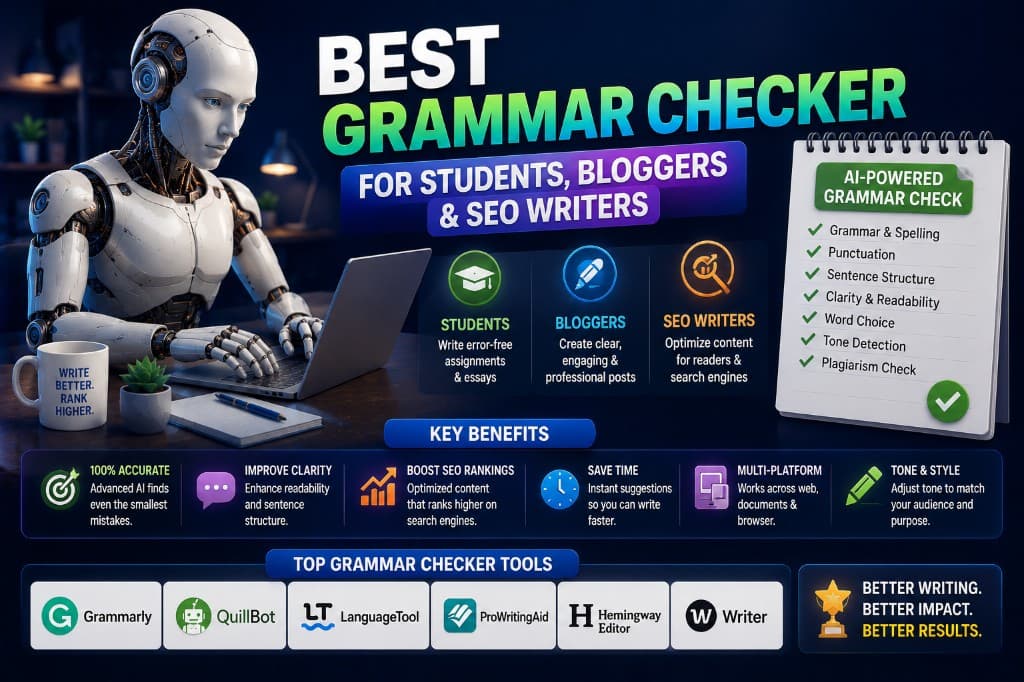
A university student submitting a dissertation, a blogger trying to keep readers on the page for four minutes, and an SEO writer trying to rank a 1,400-word article on Google — these three people have almost nothing in common when it comes to what they actually need from a grammar checker.
The student needs something that catches academic style issues and works inside Google Docs or Microsoft Word without friction. The blogger needs something that flags readability problems, not just grammatical ones — because a blog post can be grammatically perfect and still lose 60% of readers before the third paragraph. The SEO writer needs consistency, keyword-safe suggestions, and the ability to process multiple pieces quickly without the tool breaking their flow.
One tool does not serve all three equally well. And most "best grammar checker" articles recommend the same tool to all three readers, which is the kind of lazy comparison that sends the wrong person to the wrong subscription.
Here's the honest routing.
For Students: Grammarly Premium or ProWritingAid
The recommendation: Grammarly Premium for general student use. ProWritingAid for advanced academic writing.
Students face a specific combination of requirements: writing that needs to be formally correct, properly cited in style (APA, MLA, Chicago), and free of the kinds of stylistic errors that academic readers interpret as signs of carelessness. Grammarly handles the first two well. Its integration with Google Docs and Microsoft Word is seamless, it runs in real time, and the Premium plan's full citation support and advanced clarity suggestions cover most of what a student writing essays and reports needs.
ProWritingAid earns the recommendation for longer, more complex academic work — dissertations, thesis chapters, research papers — where structural analysis (sentence length distribution, paragraph pacing, overuse of specific constructions) matters as much as error correction. The depth of its reports is genuinely useful for a 10,000-word dissertation in a way that Grammarly's inline suggestions aren't.
Both have student discount programs worth checking before purchasing at full price. Grammarly's student pricing varies by institution; ProWritingAid occasionally runs academic rates. At $79/year ($6.58/month) for ProWritingAid, it's already competitive.
Something I wish I'd known as a student: Every professor I've talked to about this says the same thing — it's not the grammar errors that cost marks, it's the sentence-level clarity problems that make an argument harder to follow than it needs to be. A grammar checker that only catches errors misses the higher-value problem. Get one that also analyzes style.
For Bloggers: Hemingway App + Grammarly Free
The recommendation: Hemingway for readability, Grammarly free for error catching. Use both; pay for neither until the volume justifies it.
Blog readers make a decision about whether to stay within the first 30 seconds. That decision is almost entirely about how the opening feels — not whether it's grammatically correct, but whether it's dense, whether the sentences are too long, whether the vocabulary feels like it's performing rather than communicating.
Hemingway catches exactly these problems. It highlights sentences that are too complex (red), too long (yellow), and constructions that slow reading (passive voice, adverbs, wordy phrases). Running a blog post through Hemingway before publishing and eliminating the red and yellow highlights is the single most efficient readability improvement available to a blogger, and it costs nothing.
Grammarly free runs in the background catching the errors Hemingway ignores. The combination costs $0 and addresses both layers — accuracy and readability — that blog content needs.
When does a blogger need to upgrade? When they're producing content at enough volume that Grammarly free's limited style suggestions start mattering — typically five or more posts per week, or when the blog has an audience large enough that a style issue in a high-traffic post has real consequences. At that point, Grammarly Premium at $12/month adds enough to justify the cost.
For SEO Writers: Grammarly Premium + QuillBot Grammar
The recommendation: Grammarly Premium as the primary tool, QuillBot Grammar as a fast secondary pass.
SEO writers have a workflow requirement that separates them from bloggers and students: speed across multiple pieces. An SEO writer producing four articles per week needs a grammar workflow that integrates into their writing process without becoming a bottleneck.
Grammarly Premium's real-time suggestions inside Google Docs and the Grammarly editor cover the primary grammar pass as the writer works — not as a separate editing step afterward. This matters for volume. Catching errors as they happen is significantly faster than writing a full draft and then running a separate check.
The QuillBot Grammar Checker (free with a QuillBot account) adds a useful final pass: paste the finished piece, run the grammar check, catch anything Grammarly missed. This is particularly worth doing on AI-generated content that's been rewritten, where the combination of original AI output and rewriter suggestions can occasionally produce constructions that neither tool flagged individually but both tools together would catch.
One thing SEO writers specifically need to watch: Grammarly occasionally suggests replacing keyword-specific terminology with more common alternatives, in the name of clarity. A suggestion to change "content authenticity signals" to "signs that content is real" may technically be simpler, but it removes keyword specificity that the article needs. Review all suggestions on keyword-sensitive passages before accepting.
The Tool That Doesn't Fit Neatly Into Any Category: LanguageTool
For writers who work across multiple languages, LanguageTool is the clear answer regardless of whether you're a student, blogger, or SEO writer. Its multi-language support is unmatched in the free tier, and the Premium plan at ~$5.83/month is the most affordable paid option in the category.
For English-only writing, it sits behind Grammarly and ProWritingAid in depth of analysis. For multilingual contexts, it has no real competition.
The Summary Worth Bookmarking
| Writer Type | Primary Tool | Secondary Tool | Monthly Cost |
|---|---|---|---|
| Student (general) | Grammarly Premium | — | $12 |
| Student (long-form academic) | ProWritingAid | Grammarly free | $6.58 |
| Blogger | Hemingway (free) | Grammarly free | $0 |
| Blogger (high volume) | Grammarly Premium | Hemingway | $12 |
| SEO writer | Grammarly Premium | QuillBot Grammar | $12 |
| Multilingual | LanguageTool Premium | — | $5.83 |
The recommendation that appears most often — "just use Grammarly" — is correct for enough people that it became the consensus. But "just use Grammarly" sent me toward a tool that was slightly wrong for what I was doing for longer than it should have, before I figured out that the combination of Hemingway and Grammarly free was doing more for my blog content than Grammarly Premium alone.
Know what your writing is for, and choose accordingly.
— Alex Carter